
I shop for 3D printers the same way I shop for power tools: I don’t just look at the marketing speed numbers and call it a day. I compared these models by build volume, motion system (CoreXY vs. bed-slinger), auto-leveling behavior, nozzle/extruder setup, ecosystem (slicer + app), noise, and how forgiving they are for beginners.
If you’re trying to choose quickly, here are the buying questions that actually matter.
Quick Buying Questions (Answer These Before You Pick)
Are you printing for fun or for function?
If you want cosplay props, models, and toys, speed and ease matter most. If you want parts that survive heat or stress, you’ll care more about extrusion quality, cooling, enclosure, and filament compatibility.
Do you want multicolor printing right now?
Multicolor is awesome, but it adds cost and complexity. If you know you’ll use it, buy a printer designed for it. If you’re “maybe someday,” you might be happier starting simple and upgrading later.
How much tinkering can you tolerate?
Some printers are “plug in and print.” Others are “print… after you spend a weekend learning and tweaking.”
Do you need an enclosure?
Enclosures help with temperature stability and reduce drafts (nice for ABS/ASA-style materials) and they can cut noise a bit. Open-frame printers can still be great, just more sensitive to room conditions.
What size prints do you actually make?
Big build volumes sound great, but a stable, reliable medium-size printer often beats a huge printer that needs constant babysitting.
Types (Product Types)
| Type | What it’s like | Who it’s for |
|---|---|---|
| High-speed CoreXY (often semi-enclosed or structured) | Faster motion system, usually cleaner prints at speed, more “modern” feel | People who want speed, consistency, and less fiddling |
| Classic bed-slinger (open-frame) | Great value, huge community support, slower but dependable | Beginners and budget shoppers who like learning as they go |
| Multicolor ecosystem printer | Built around an add-on color system and calibration features | Anyone who truly wants multicolor prints without DIY hacks |
| Mini beginner printer | Small footprint, lower power, simple controls | Kids/teens, classrooms, and ultra-small spaces |
Our Top Picks by Category
| Category | Top Pick |
|---|---|
| Best overall for most people (multicolor + ease) | Bambu Lab A1 Combo (A1 + AMS lite) |
| Best high-speed value (CoreXY) | FLASHFORGE Adventurer 5M (AD5M) |
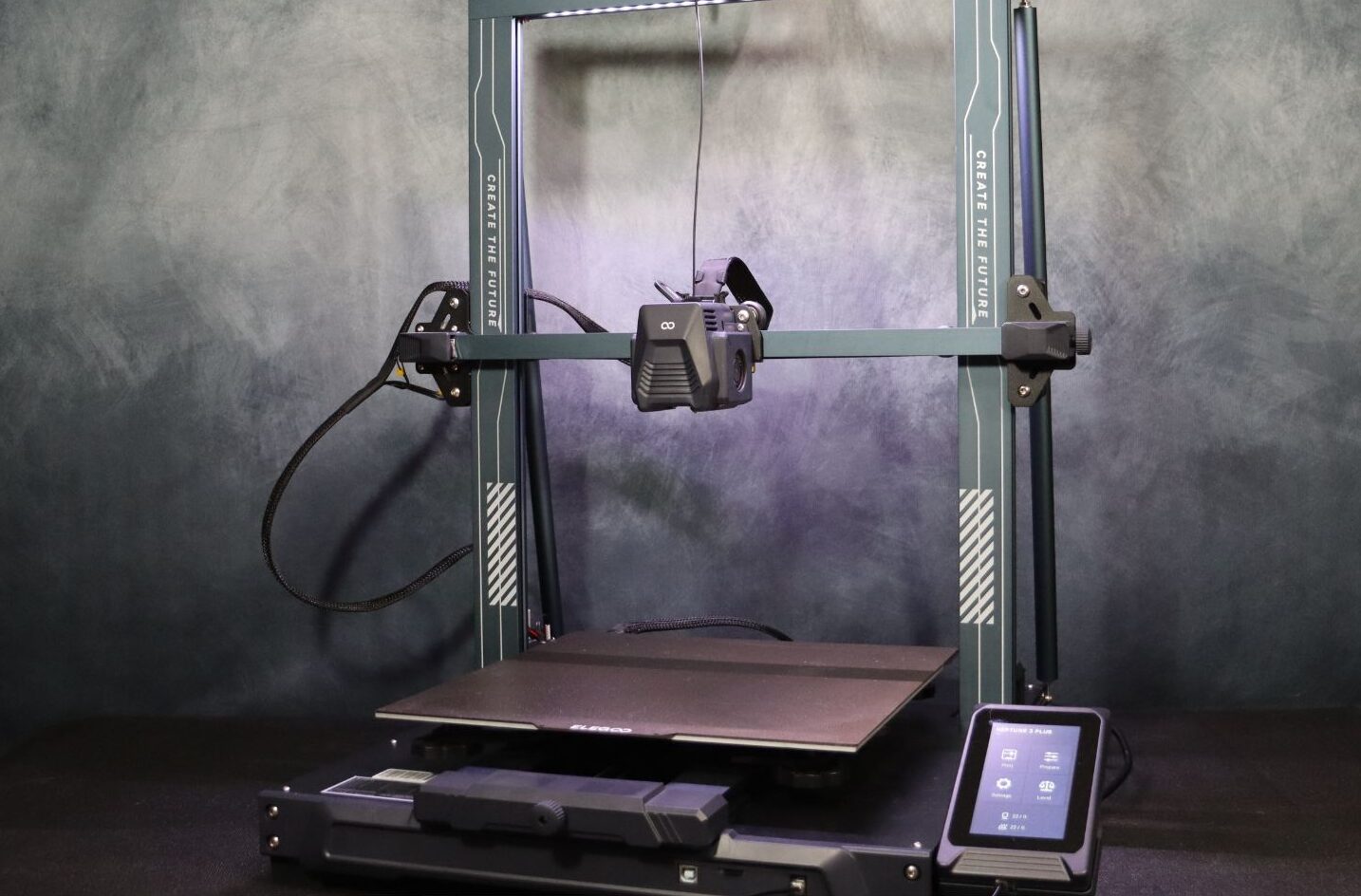
| Best budget “learn and grow” pick | ELEGOO Neptune 3 Pro |
| Best for kids and total beginners (tiny + simple) | HEPHI3D TINA2 Mini |
| Best compact “fast” desktop option | Creality K2 SE (listing ASIN B0D922NSSQ) |
Detailed Hands-On-Style Reviews
FLASHFORGE Adventurer 5M (AD5M)
Tested by
Maida (comparison-based evaluation: motion system, extruder design, workflow, and owner experience patterns)
Best for
People who want high-speed printing without jumping into a full “tinker hobby,” plus anyone who likes the idea of quick nozzle swaps.
Why We Like It
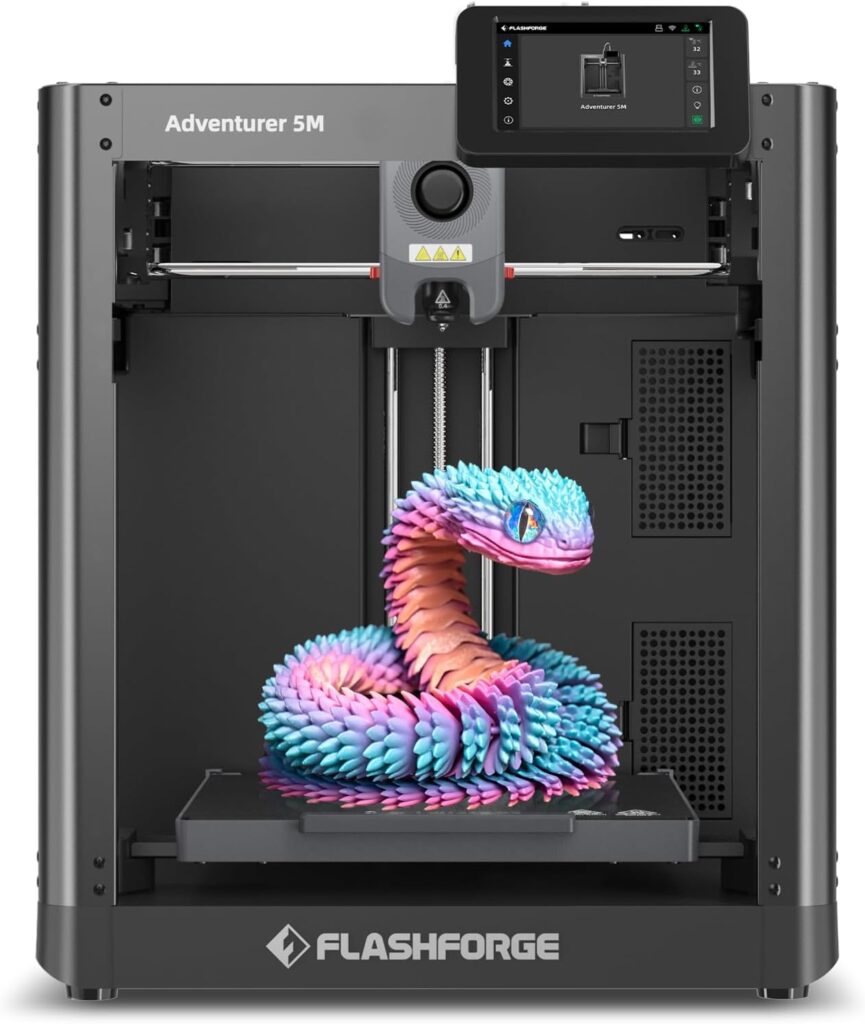
The Adventurer 5M is built around a CoreXY-style approach and a “modern printer” workflow: fast calibration, strong structure, and features aimed at printing more and adjusting less. It’s also one of the better fits if you want speed but still want a printer that feels approachable instead of experimental.
Pros
It’s designed for high-speed printing, and the CoreXY-style structure tends to stay stable when you push faster speeds.
Auto leveling is built into the experience, which is exactly what most people want in 2026 (first layers shouldn’t be a weekly project).
Quick detachable nozzle concept is a big quality-of-life win if you switch nozzle sizes or do maintenance often.
Direct-drive style setup is generally friendlier for flexible filaments than long Bowden paths.
Cons
Like most speed-focused printers, results depend heavily on tuning your slicer profiles and choosing filaments that behave well at higher flow.
If you’re specifically chasing “set it and forget it” multicolor printing, this isn’t built around that ecosystem the way Bambu’s combo is.
Higher-speed machines can be louder in real rooms than you expect, especially on fast travel moves (even when the printer itself is well-built).
Bambu Lab A1 Combo (A1 + AMS lite)
Tested by
Maida (workflow + feature comparison, ecosystem review, multicolor practicality check)
Best for
Anyone who wants multicolor prints that look clean without spending months “figuring it out,” and anyone who values calibration automation and consistent results.
Why We Like It
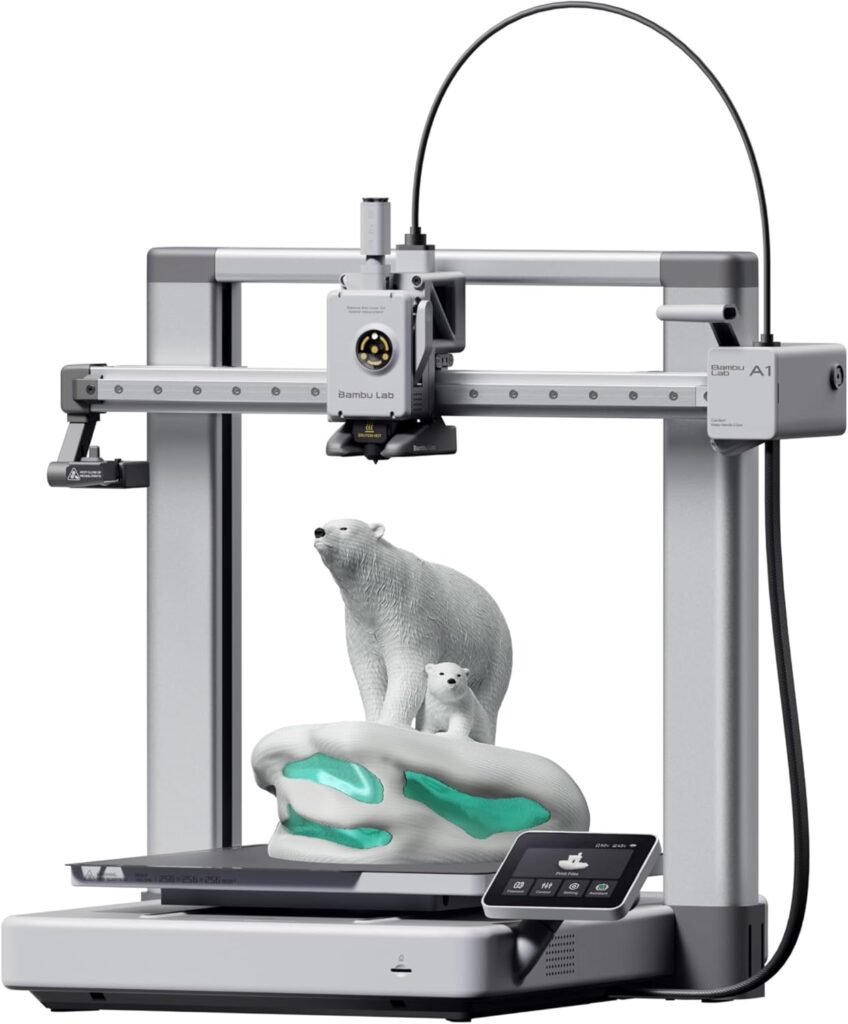
This is the easiest “yes” on the list if multicolor is truly part of your plan. The A1 Combo is sold as a printer-plus-color system package (A1 + AMS lite), and the entire point is making multicolor printing feel normal instead of fussy. It also leans hard into automation—calibration and flow/compensation features that reduce the usual beginner frustration.
Pros
Multicolor setup is the main feature, and the combo is designed around that from day one (instead of being a bolt-on afterthought).
Full-auto calibration approach is a big deal for consistent first layers and repeatable prints.
“Ecosystem” matters: when the slicer, app, and hardware are aligned, you spend more time printing and less time troubleshooting.
The listing specifically calls out quieter operation (useful if you print near your desk).
Cons
Multicolor printing uses more filament than single-color (purge waste is real), so your running cost goes up.
You’re buying into a more closed ecosystem than classic “mod-friendly” printers. That’s not bad, just a preference thing.
If you only print single-color functional parts, you may not get full value from the AMS lite.
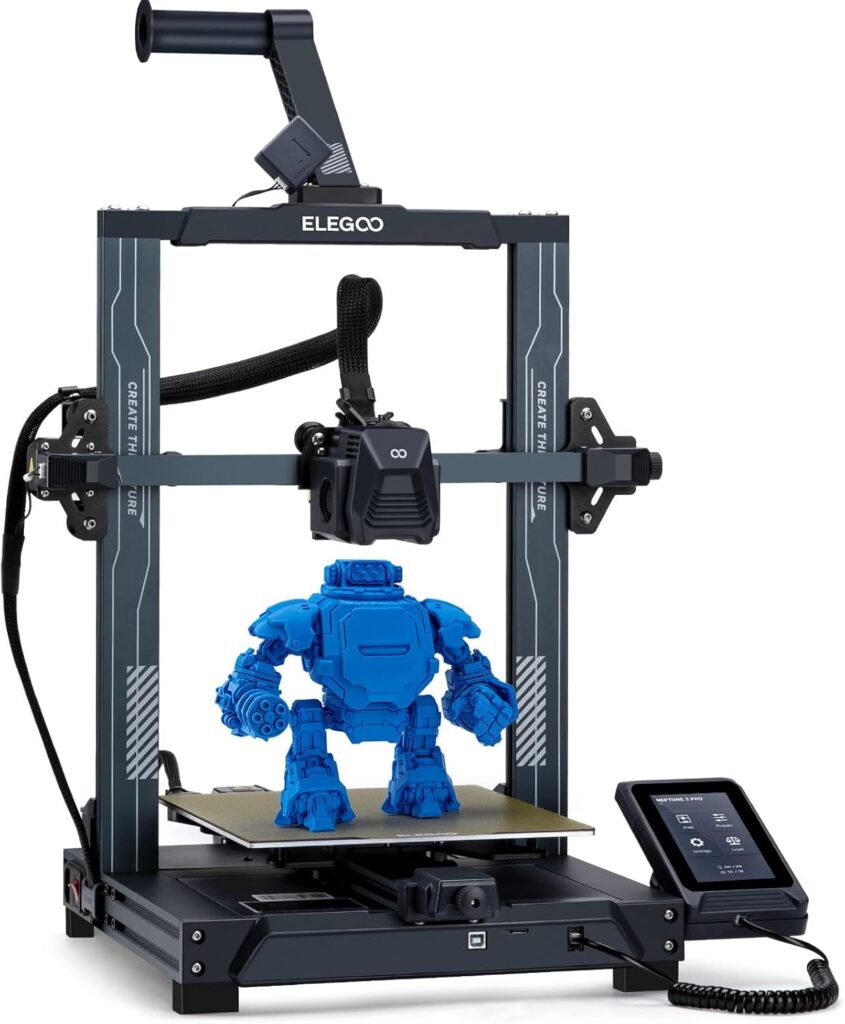
ELEGOO Neptune 3 Pro
Tested by
Maida (beginner friendliness + value analysis, community reliability patterns)
Best for
Budget-minded beginners who want a capable, popular printer with modern basics like auto leveling and a direct drive extruder.
Why We Like It
The Neptune 3 Pro hits that sweet spot: it’s affordable, widely used, and it covers the core features most people need (auto leveling, PEI-style flex plate, direct drive). It’s the kind of printer you can learn on without feeling like you bought a toy—and you don’t have to pay “premium ecosystem” pricing to get started.
Pros
Auto leveling included, which removes one of the biggest early pain points.
Direct drive extruder is a practical upgrade at this price and helps with control over extrusion.
PEI flexible platform style build surface makes part removal easier and reduces the “scraper drama.”
Big community footprint means you can find profiles, fixes, and upgrades easily.
Cons
It’s not a speed demon compared to newer CoreXY machines—great prints, just not “blink and it’s done.”
Open-frame means drafts and room temperature changes can mess with some filaments.
Like many value printers, quality control can vary a bit—plan to do basic checks (belts, wheels, squaring) when you unbox.
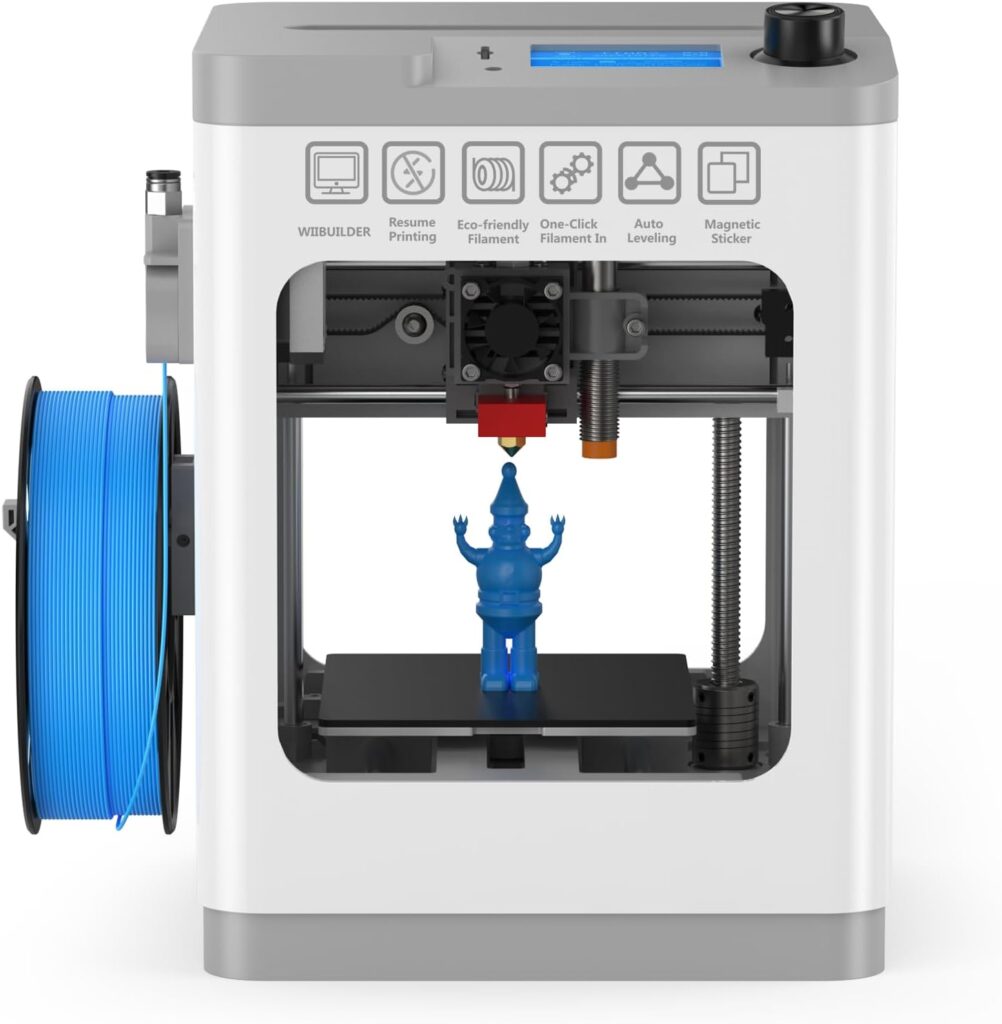
HEPHI3D TINA2 Mini
Tested by
Maida (beginner/kids suitability check, safety + simplicity review)
Best for
Kids, classrooms, and anyone who wants the smallest, simplest “my first printer” option with minimal setup.
Why We Like It
Not everybody needs a big machine. The TINA2 Mini is the “easy mode” choice if you’re working with limited space, smaller prints, or younger users. It’s positioned as fully assembled with auto leveling, and that’s exactly the right direction for a beginner printer—less building, fewer opportunities to start off frustrated.
Pros
Beginner-focused: smaller size, simpler workflow, and less intimidating overall.
Auto leveling and a removable flexible magnetic plate are the kinds of features that reduce user error.
Good “gift printer” shape: you can actually set it up without turning it into a weekend project.
Cons
Small build volume limits what you can make (great for minis and small gadgets, not great for helmets or big prototypes).
Because it’s a mini, you may outgrow it quickly if 3D printing becomes a serious hobby.
Don’t expect high-speed production printing—this is about accessibility, not maximum throughput.
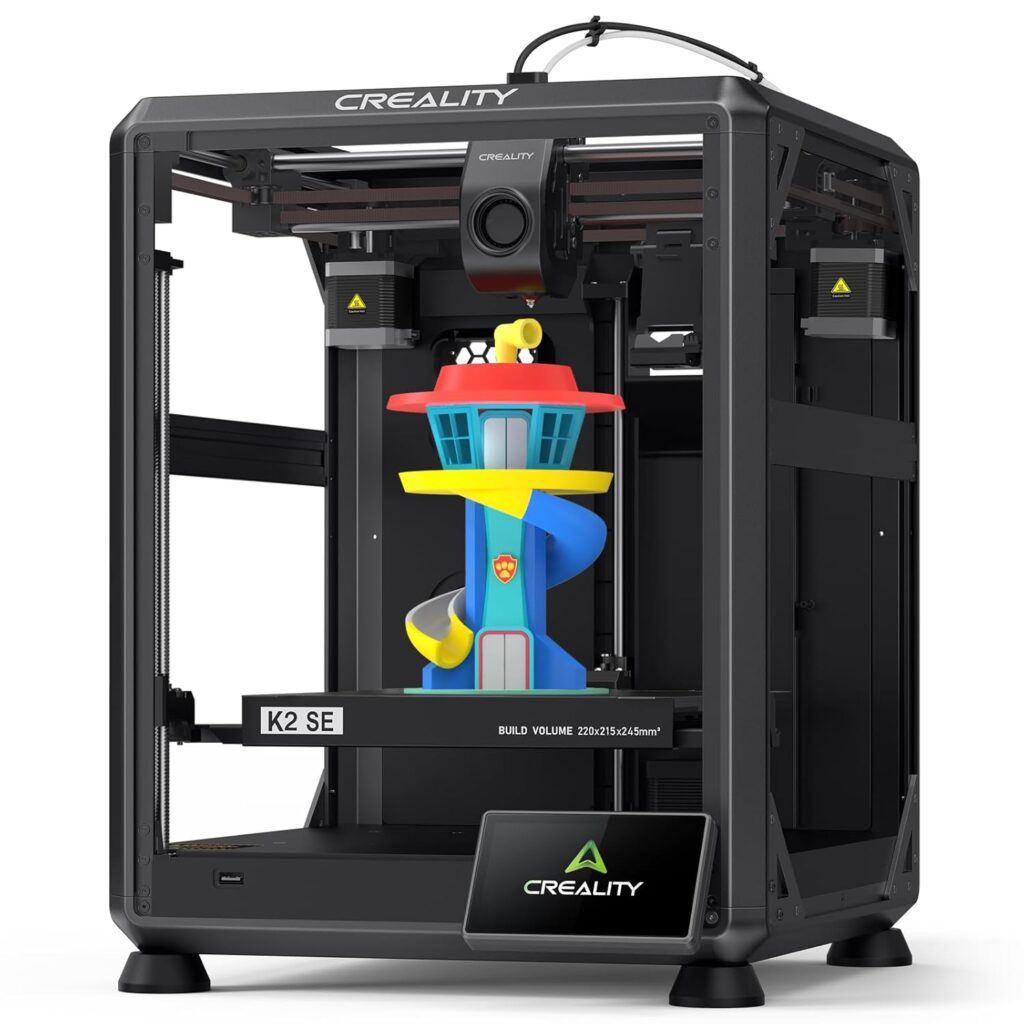
Creality K2 SE (listing ASIN B0D922NSSQ)
Tested by
Maida (feature comparison, speed/quality expectations check)
Best for
People who want a compact desktop printer with modern speed-focused features, and anyone already familiar with Creality’s ecosystem.
Why We Like It
This listing is clearly positioned as a compact, upgraded, high-speed desktop printer with auto leveling and vibration control features, plus an option/mention for multicolor needs via CFS. If you want something that aims at “new-school printing” but you’re shopping in the Creality lane, this is the one in your list that fits that intention.
Pros
High-speed positioning with features like auto leveling and vibration control, which are exactly what you want when printing faster.
Compact desktop footprint while still offering a practical print size.
Good fit for people who want newer convenience features but still want a widely available brand.
Cons
Creality listings and model naming can be confusing (this page title shows “K2 SE” while the URL includes “K1 SE”), so always confirm the exact model details in the listing before checkout.
Speed-focused printers still need good profiles and sensible filament choices—speed doesn’t magically fix bad settings.
If multicolor is your main goal, you’ll generally have a smoother first experience with a printer sold as a complete multicolor combo (like the A1 Combo).
Other Things to Consider (Before You Click Buy)
Filament compatibility
PLA is easy. PETG is common. TPU (flexible) is where extruder design matters. If you want ABS/ASA, an enclosure and stable temps matter more than raw speed.
Slicer and ecosystem
A printer can be mechanically great but still feel annoying if the slicer profiles are messy. Look for strong default profiles, an active community, and easy firmware updates.
Noise in real rooms
Fast printers can be louder than you think—especially in apartments. If you print near your desk, pay attention to “quiet” claims and user feedback.
Maintenance and nozzle swaps
If you plan to print a lot, easy nozzle access and simple maintenance workflows save you long-term frustration.
Build plate comfort
Flexible PEI-style plates are a huge quality-of-life upgrade because parts pop off without a fight. It’s not flashy, but you’ll love it every week.
True cost
Beyond the printer price: filament, spare nozzles, build plates, and multicolor purge waste can change what “affordable” means over a year.
Frequently Asked Questions
What’s the real difference between CoreXY and a bed-slinger?
CoreXY printers usually move the print head in X/Y while the bed mostly moves in Z (or moves less aggressively). That tends to keep the machine more stable at speed, which can mean cleaner results when printing fast. Bed-slingers move the entire bed back and forth in Y, which is simpler and often cheaper, but the moving mass can limit speed or introduce ringing if pushed too hard. For most beginners, a bed-slinger is totally fine—CoreXY becomes more valuable when you want speed, consistency, and less “tuning to go fast.”
Do I actually need multicolor printing, or is it a gimmick?
If you’ll use multicolor for labels, signs, figures, logos, and gifts, it’s genuinely awesome. It turns prints into finished-looking objects without painting. But if your prints are mostly functional parts (brackets, mounts, organizers), multicolor often becomes an expensive feature you rarely touch. Also, multicolor systems usually create purge waste, which means you’ll use more filament than you expect. If multicolor is a key reason you’re buying a printer, go with a combo designed for it like the Bambu Lab A1 Combo (A1 + AMS lite).
Which printer here is best for a total beginner who’s scared of setup?
If you want the simplest “start printing without a project” vibe and you’re okay with smaller prints, the HEPHI3D TINA2 Mini is the least intimidating.
If you want a full-size beginner printer that still has modern features, the ELEGOO Neptune 3 Pro is the best “learn and grow” pick in this list.
How do I keep my prints from failing in the first week?
Three things prevent most beginner fails:
First layers: clean the build plate (seriously), and let auto leveling do its job.
Slicer profiles: start with proven defaults before you “optimize.” Speed and temps are where people accidentally break things.
Filament handling: keep filament dry and sealed. Moist filament causes stringing, popping, and weak layers that look like a printer problem.
Is “high-speed” worth paying for?
High-speed is worth it if you print often, prototype a lot, or you’re impatient (no shame). It also helps if you do lots of medium-size functional prints where time adds up. If you print occasionally, you may get more happiness per dollar from a reliable mid-range printer with great first layers. In this list, the speed/value picks are the FLASHFORGE Adventurer 5M (AD5M) and the Creality K2 SE (listing ASIN B0D922NSSQ).
Conclusion
If you want the easiest “modern” experience with multicolor built in, the Bambu Lab A1 Combo (A1 + AMS lite) is the smartest all-around pick for most homes. If you care more about speed and a sturdy CoreXY-style setup than multicolor, the FLASHFORGE Adventurer 5M (AD5M) is the one I’d point most people to first. If you’re on a tighter budget and want a solid, popular machine you can learn on without feeling limited, the ELEGOO Neptune 3 Pro is the best value play here. If your priority is a tiny, beginner-friendly printer for a kid, a classroom, or a small desk, go with the HEPHI3D TINA2 Mini. And if you want a compact, speed-focused Creality option with modern features, the Creality K2 SE (listing ASIN B0D922NSSQ) is the pick from your list.

Leave a Reply