

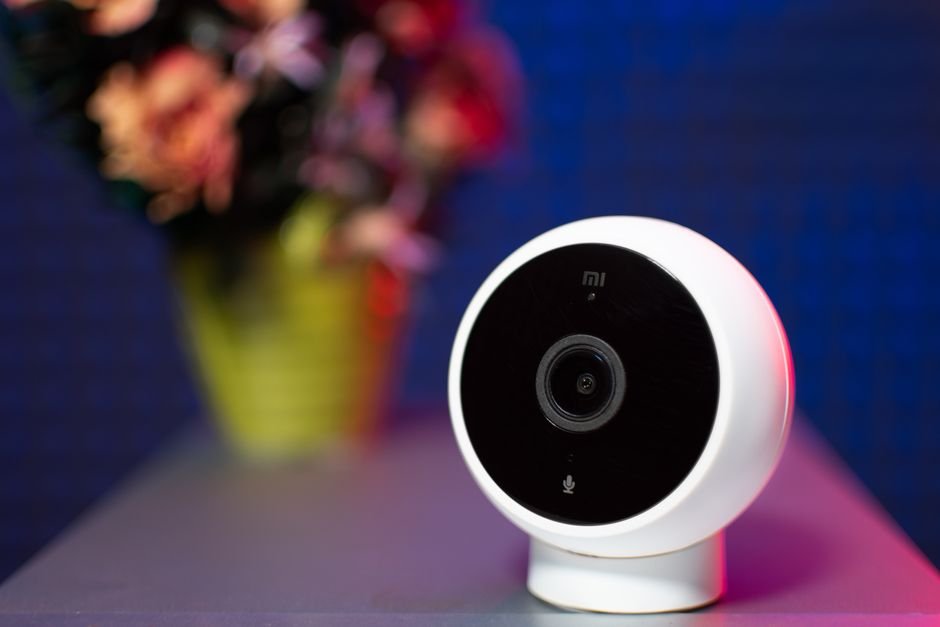
Around 70% of households in the U.S. are expected to have smart home devices by 2025, but many homeowners struggle with integration. The key to a successful smart home setup lies in choosing your devices wisely, ensuring they work together harmoniously without overwhelming complexity.
One of the most common pitfalls is a lack of planning. You want to select a smart home hub and devices that work together seamlessly. In my experience, having a clear plan drastically simplifies the entire process. Starting with a few key devices and gradually expanding is the route most successful users take.
Let’s break down how to set up your smart home without the hassle.
Choosing the Right Smart Home Hub
The first critical step to take in establishing a smart home system is selecting a smart home hub. This hub acts as the central point for controlling all your smart devices. Common options include Amazon Echo, Google Nest Hub, and Apple HomePod. Each offers unique features, but making the right choice hinges on your existing ecosystem and preferences.
When selecting a hub, consider compatibility. If you already use Android devices, a Google Hub is a logical choice due to its native integrations. Conversely, if you’re deeply invested in Apple products, the HomePod might be worth considering. The integration of a smart assistant, like Alexa or Google Assistant, also enhances functionality, allowing for voice control and simple commands.

Deciding on Smart Devices
Once you’ve chosen a hub, the next step is picking the smart devices. Focus first on those that impact your daily life the most, such as smart lightsthermostats, and security cameras. Each device should communicate smoothly with your chosen hub. Philips Hue lights and Nest thermostats are popular, user-friendly choices that offer extensive compatibility.
It’s also essential to identify your specific needs. For instance, if energy efficiency is your primary concern, look into smart thermostats designed to optimize heating and cooling. Conversely, if safety is your focus, consider investing in smart security cameras or doorbell cameras. Don’t be swayed by the latest trends; instead, invest in devices that will genuinely improve your routine.
Establishing a Home Network
Your smart home devices will only perform optimally on a reliable home network. Ensure that your Wi-Fi coverage is robust throughout your entire space. I recommend considering a mesh Wi-Fi system if you have a larger home. Not only do these systems eliminate dead zones, but they also help maintain stable connections for all your devices.
Securing your network is another important aspect of setting up a smart home. Change the default passwords on your router and employ WPA3 security if available. Additionally, consider creating a separate network for your smart devices to reduce vulnerability to hacks that could compromise your personal data.
Connecting Devices to Your Smart Network
Now comes the fun part: connecting your devices to your hub and network. Most smart devices come with a straightforward installation guide, so follow the manufacturer’s instructions carefully. Pairing typically involves downloading the associated app, creating an account, and connecting to Wi-Fi.
If you’re experiencing connection issues, ensure that your devices are within range of your Wi-Fi signals. Restarting your hub and devices can also resolve hiccups. Once everything is connected, take a moment to organize your devices within the app. Group related devices for easy control, for example, create a “Living Room” group for lights and a thermostat.

Creating Automations and Routines
With devices connected, it’s time to take advantage of automations and routines. Both Google Assistant and Alexa offer the capability to program routines that can include multiple actions activated by a single voice command or scheduled times.
For instance, you can set up a “Good Morning” routine that opens your smart blinds, starts the coffee maker, and adjusts the thermostat to your desired morning temperature.
Think creatively about how these automations can simplify daily tasks. Many users find that automating their lights to turn on and off at certain times can enhance security while they’re away. Additionally, consider using your voice assistant to control multiple devices, making it convenient to shift from one activity to another seamlessly.
Monitoring and Maintenance
The final step in setting up your smart home system involves monitoring and maintaining your devices. Regularly update your smart device firmware to ensure you have the latest features and security improvements. Most manufacturers push updates automatically, but it’s prudent to check your device settings periodically.
Also, keep an eye on your network performance. If you start experiencing connectivity issues, readjust your Wi-Fi coverage or consider upgrading your plan if necessary. Regular maintenance will help prolong the life of your devices and ensure a consistently smooth experience.
There is more on closet system review elsewhere on the site.
For more, read about living space.
Final Thoughts: Streamline Your Smart Home Efficiency
I recommend starting with a smart hub like Google Nest for those new to automation, while tech enthusiasts may prefer a more customizable option like SmartThings. Additionally, assess your daily routines to select smart devices that truly meet your needs, and make sure to keep your network secure.
Frequently Asked Questions
What do I need to set up a smart home?
To set up a smart home, you'll need a reliable internet connection, a compatible smart home hub or controller, and smart devices such as lights, thermostats, cameras, or speakers. Additionally, consider a smartphone or tablet for managing and controlling the devices.
How does a smart home system work?
A smart home system operates through a central hub that communicates with various smart devices using Wi-Fi, Bluetooth, or Zigbee protocols. These devices can be controlled remotely via smartphone apps, allowing users to automate tasks or create schedules for their home environment.
Can I set up a smart home system myself?
Yes, many smart home systems are designed for DIY installation, and most devices come with user-friendly guides. However, it's important to follow the instructions carefully and ensure compatibility between devices for optimal performance.
Why won't my smart devices connect?
Smart devices may fail to connect due to weak Wi-Fi signals, compatibility issues, or incorrect network settings. Ensure that the devices are within range of the router, you're using the correct app, and that your network is functioning properly.
Is a smart home system secure?
While smart home systems offer convenience, they can pose security risks due to potential hacking or vulnerabilities in devices. It is essential to keep your software up to date, use strong passwords, and consider enabling two-factor authentication for added protection. For more tips on how to set up a smart home system, check out ENERGY STAR’s recommendations.



Leave a Reply