

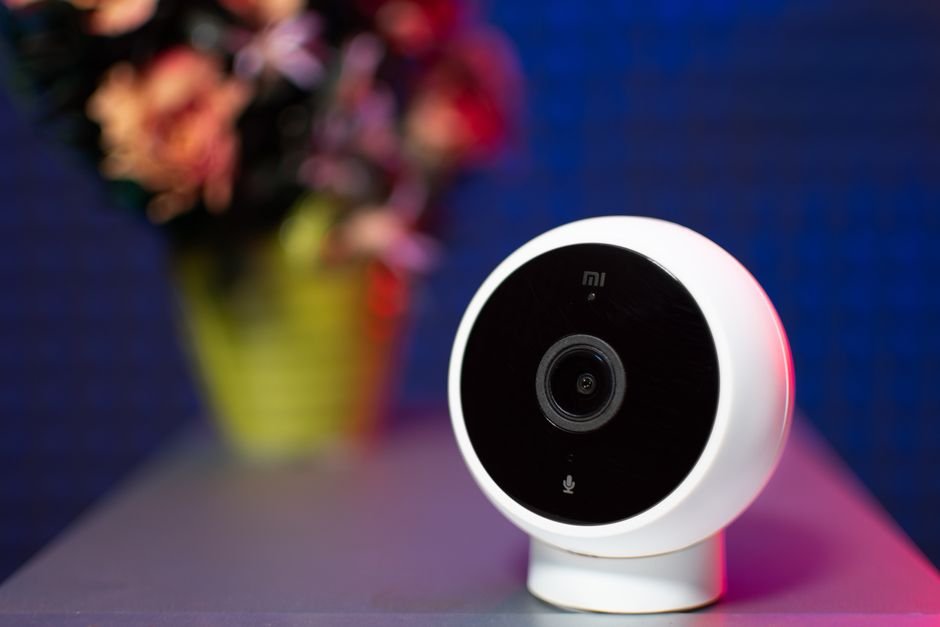
Cyberattacks on smart home devices have surged by 300% in the last year, making security a pressing concern. Without proper safeguards, your home could be vulnerable to unauthorized access, leading to the loss of personal data and privacy.
As someone who stays alert about cybersecurity, I’ve investigated ways to secure smart devices effectively. From securing your Wi-Fi network to regularly updating firmware, a combination of proactive strategies can offer substantial protection against potential intruders. Let’s explore what you should focus on, and what to skip entirely.

Skip the Default Settings
You’ll want to change default usernames and passwords right off the bat. Leaving devices set to factory settings is an open invitation for cybercriminals. Many users overlook this step, believing a device’s out-of-box security is sufficient. It’s not. Hackers often utilize a database of default credentials to gain unauthorized access in mere minutes.
Set strong, unique passwords for each device and use a password manager if you’re struggling to remember them all. A good rule of thumb is to make your passwords at least 12 characters long, incorporating numbers, symbols, and both upper- and lower-case letters. This ensures multiple layers of security, making it less likely for unwanted guests to break in.
Avoid Ignoring Regular Firmware Updates
Firmware updates aren’t just pesky reminders; they often contain crucial security patches. Many users don’t bother to install the latest updates, thinking that their devices work just fine. Skipping these updates can leave vulnerabilities open. Hackers love exploiting outdated software.
Make it a habit to check for and install firmware updates regularly. Set up automatic updates if your devices allow. Staying current with updates can help close security gaps before they turn into serious issues. It’s a simple precaution that can save you a lot of trouble.
Don’t Forget About Network Security
Your home network serves as the backbone for all your smart devices. A poorly secured Wi-Fi network can become a gateway for malicious actors. Many people stick with default router settings without realizing they’re a common target. I recommend investing your time into configuring your router properly.
Start by implementing WPA3 security for your Wi-Fi network. Avoid using WEP, as it is outdated and offers minimal protection. Ensure your router employs a strong, unique password, not the default one. Additionally, consider creating a separate guest network for visitors; this isolates your smart devices from any untrusted connections.
Setup Two-Factor Authentication (2FA)
Many smart devices and apps now offer two-factor authentication as an added layer of security. This means you’ll need to supply a secondary form of verification, like a text message or an email code, in addition to your password. While some users find this process cumbersome, skipping 2FA can leave your smart devices vulnerable.
Whenever available, enable two-factor authentication for all your devices and accounts. It significantly reduces the likelihood that someone could access your data even if they manage to guess your password. Investing a few extra seconds in security can pay off greatly.
Be Mindful of Data Encryption
Data encryption protects your information and communications from prying eyes. If your smart devices do not encrypt data, you run the risk of sensitive information being intercepted. Make sure the devices you buy support industry-standard encryption, typically WPA2 or WPA3 for network security.
Most reputable brands understand the importance of encryption and incorporate it into their products. However, it’s still worth confirming before a purchase. Asking yourself this key question can save you on future troubles: Is my information secure during transmission?
Skip Unnecessary Features
IoT devices often come loaded with features that aren’t always necessary. For example, voice assistant capabilities might seem convenient, but they can also serve as entry points for attackers if not adequately secured. Think critically about what your needs truly are and whether every feature is essential for your lifestyle.
If you don’t use certain functionalities, consider disabling them. Each added function can create another vulnerability. Focusing on just what you need can simplify your experience while boosting security significantly.

Establish an Exit Plan
Securing your smart devices isn’t a one-and-done type of affair. Developing an exit plan for when you travel can help ensure that your home stays protected. This includes routines like temporarily disabling connections for devices that don’t need to be online while you’re away.
Also, if you find yourself needing to sell or dispose of a device, restore it to factory settings first. A simple reset can prevent previous owners or attackers from accessing your data after the device has changed hands. This final precaution is often overlooked and can save you from future issues.
Your Smart Home Security Verdict
When it comes to smart home security, vigilance is a must. One poor choice can compromise not only your devices but also your privacy and safety. Avoid common mistakes, like skipping firmware updates or neglecting network security, to keep your smart home efficient and secure.
If you’re looking for more related insights, check out my article on smart locks versus traditional locks for a deeper understanding of home security dynamics.
Ultimately, it’s all about taking proactive steps rather than waiting for an incident to occur. So, prioritize your digital safety and spend time on these essential tactics. With a bit of effort, you can enjoy the conveniences of a smart home without compromising your security.
To learn more about how to secure your smart home devices, be sure to stay informed and implement the best practices discussed here.
Related reading: create a minimalist.
Frequently Asked Questions
How can I protect my smart home devices from hacking?
To protect your smart home devices from hacking, start by changing default passwords to strong, unique ones for each device. Additionally, ensure that your home network is secured with WPA3 encryption and consider using a guest network to isolate smart devices from your main devices.
What are the best smart home security measures?
Some of the best smart home security measures include enabling two-factor authentication for devices, regularly updating firmware, and utilizing a virtual private network (VPN) for extra layer of encryption. Also, invest in reliable security software and regularly review device permissions.
Can smart home devices be hacked remotely?
Yes, smart home devices can be hacked remotely if they are connected to the internet and not properly secured. Hackers can exploit vulnerabilities in the devices or network security, allowing unauthorized access from outside your home.
Why is updating firmware important for smart home security?
Updating firmware is crucial because manufacturers often release updates to patch security vulnerabilities and improve device functionality. Regularly updating ensures that your devices have the latest protections against emerging threats.
What are common vulnerabilities in smart home systems?
Common vulnerabilities in smart home systems include weak default passwords, lack of encryption on communications, unsecured Wi-Fi networks, and outdated firmware. Devices that do not receive regular updates or have poorly coded software can also pose significant security risks.




Leave a Reply